Go to Annotations within the Library section or open any of your projects and go to Annotations. Select all the annotations you want to export by either selecting them individually (checkbox in the upper right corner of the annotation) or by clicking the Select All (double check marks)
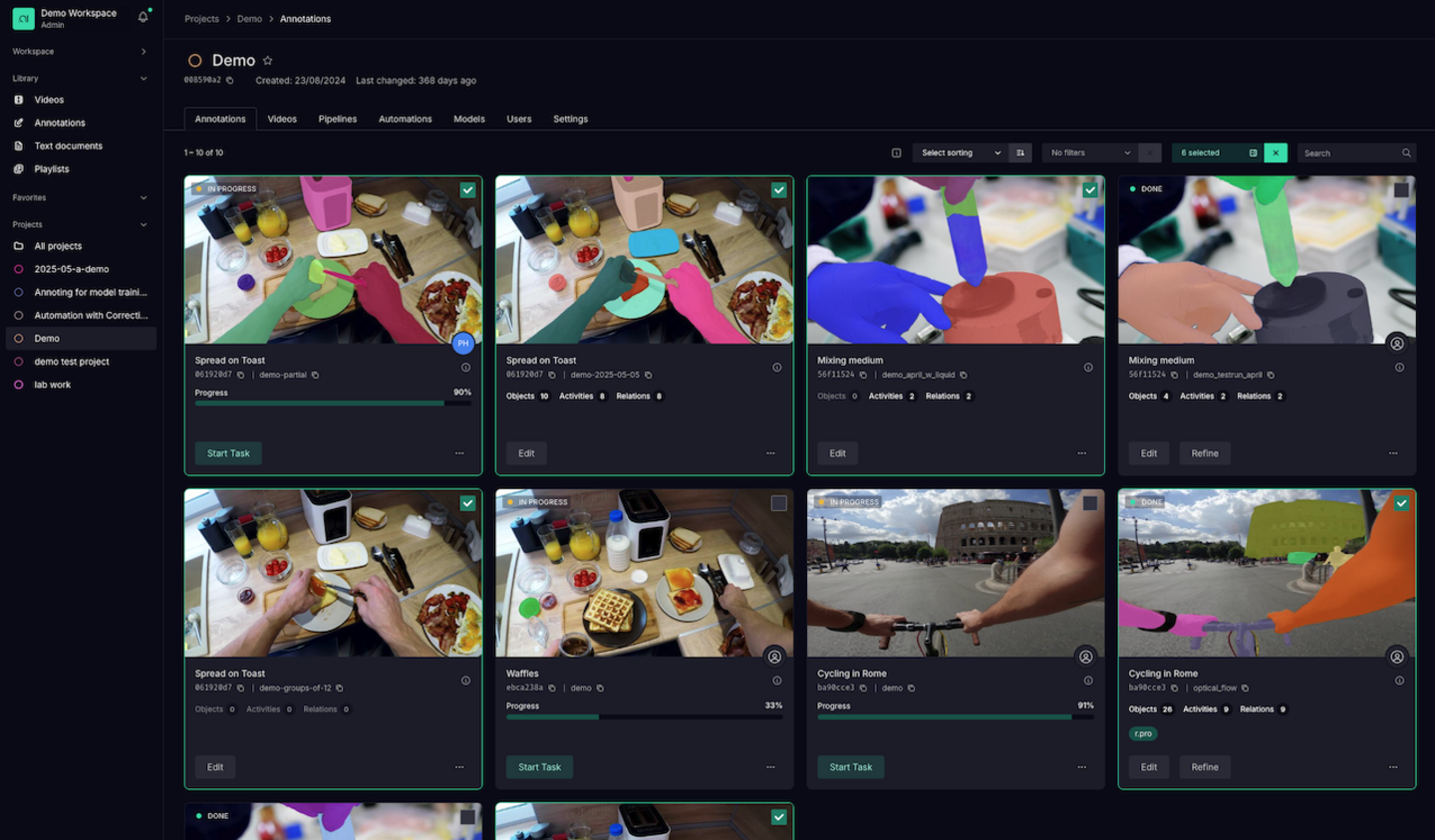
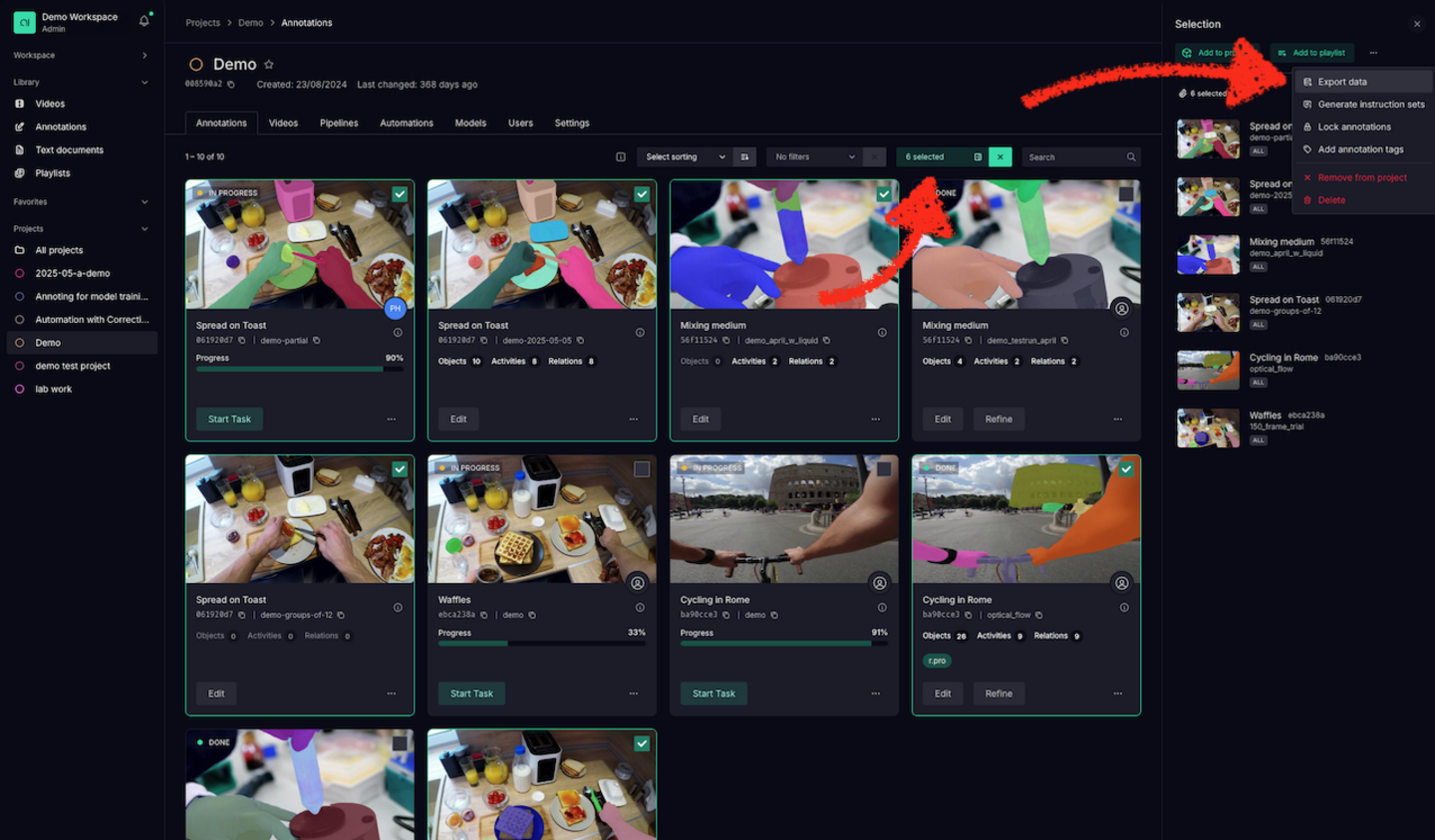
After selecting the annotations you want to export, click the highlighted button and a side panel will open. In the side panel hit the three dots (…) on the top right and choose Export data.
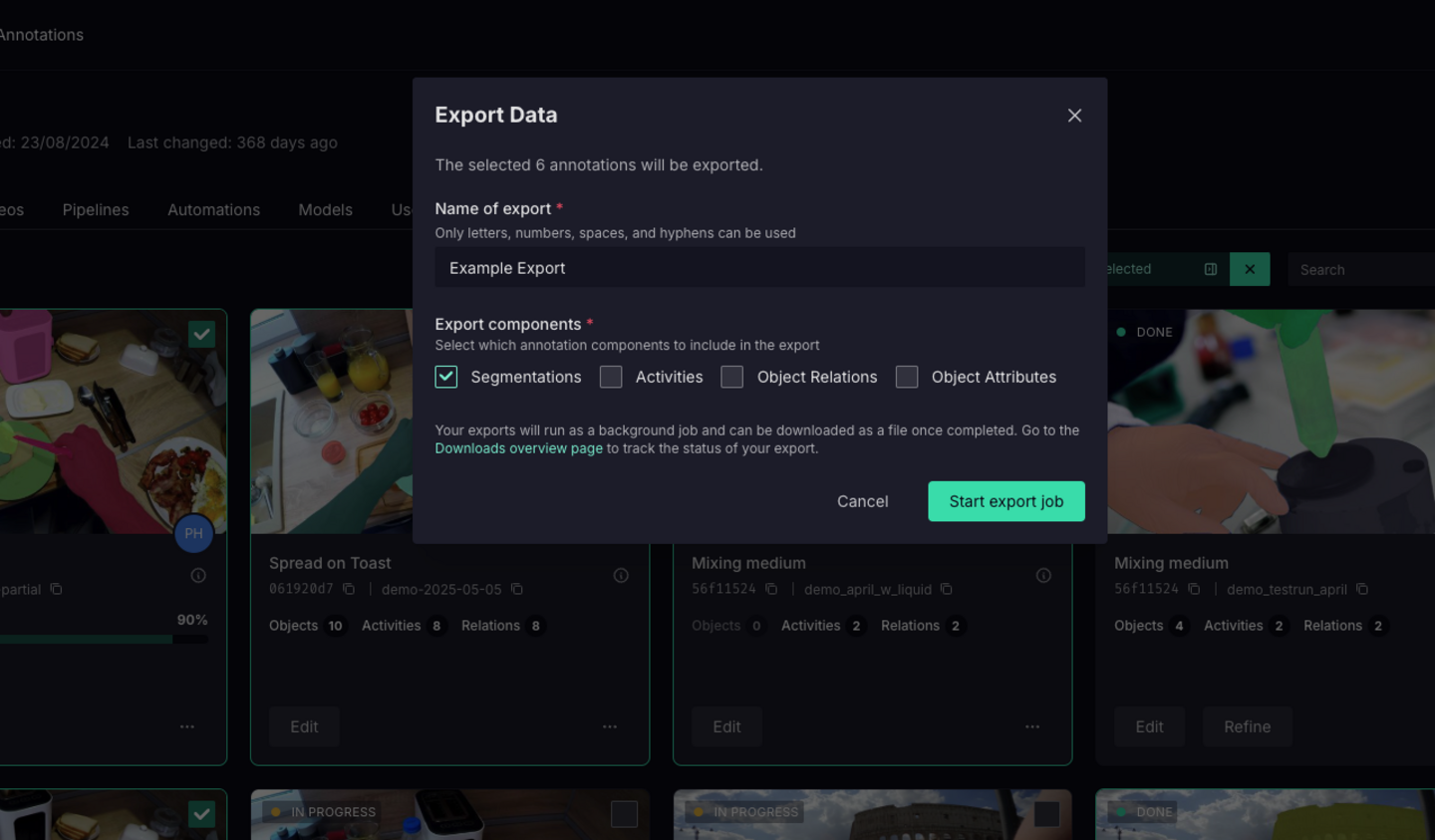
Choose which elements you want to have exported about your annotation:
- Segmentations: pixel accurate masks with references to object instances in COCO format
- Activities: frame level activities
- Object Relations: Frame level understanding of relation between objects
- Object Attributes: Frame level understanding of attributes per object
Go to Downloads under Workspace in the left panel. On the Downloads page you will see the history of your exports as well as the progress of your current export. Once it is done you can click the download button on the right side of the line item.
